Stumbling upon old childhood photos is as nostalgic and sentimental as it is hilarious. And there’s no denying, as much as individual yearbook photos from your kindergarten class all the way to your senior portrait hit home to revisit, there’s something so special about your yearbook class pictures from over the years; seeing a group photo of many of your lifelong friends in the prime of their youth can tug at anyone’s heart strings.
But it’s been so many years since you graduated, and you can’t recall what ever happened to your old yearbook. Does your class picture even still exist?
You’ve got options to search. Classmates’ online collection of almost half a million yearbooks gives users access to class photos from across the decades. If yours is available, you can browse for your class yearbook for free. Here’s how to search for your class photo from elementary, middle, high school, or college.
Are Old Class Photos Available Online?
It is quite possible that your old class photo is archived digitally in the Classmates yearbook collection. For decades, the platform built around keeping school relationships alive has acquired yearbooks from around the country, through user contributions, estate sales, eBay, and school libraries.
If your yearbooks are in the collection, you can search to find your elementary, middle school, high school, or college class pictures and browse them online or order physical yearbook reprints.
You can get started on the Yearbook Search page.
How to Search for Your Class Picture on Classmates: Step-by-Step
- Type in Your School Name and Class Year You’re Looking For
On the yearbook search page, the easiest way to search is by your [school name + year]. For example, see the keyword “middletown south 1988” in the below example.
Do you have a common school name? You can also add the following name to refine your search
- School name + state + year: middletown south new jersey 1988)
- School name + town name + state + year: middletown south middletown new jersey 1988
Remember that you can search for any of the schools you went to from K-12 and beyond to look for yearbook pictures of your class list!
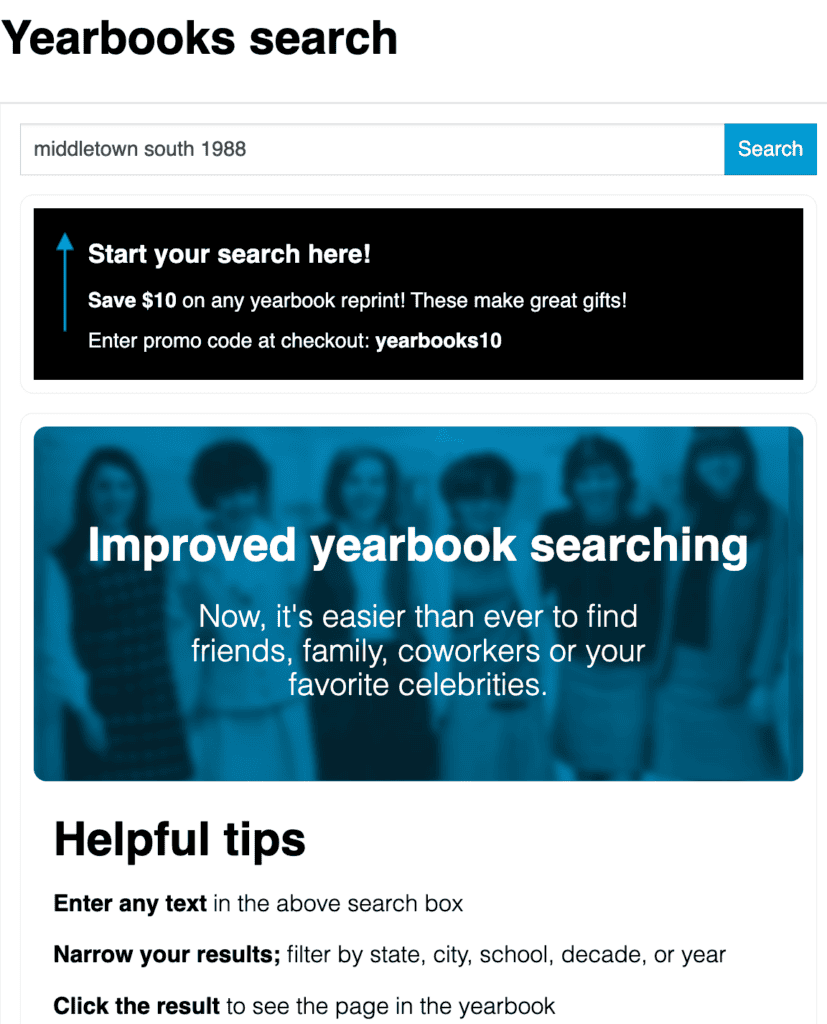
Example shown for demonstration purposes; actual results may vary.
Quick tip: while you don’t have to be registered for Classmates to search for your yearbooks and class picture, doing so will simplify the process and make it easier to upgrade to CM+ to browse the yearbook in full and see your old class pictures!
- If You See the Yearbook in the Results, Click to Open the Digital Version
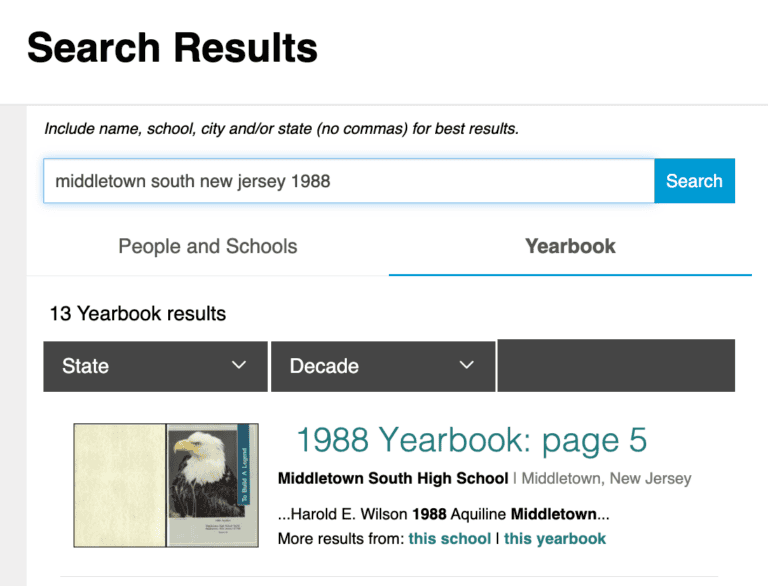
If the yearbook is available online on Classmates, it should appear as follows:
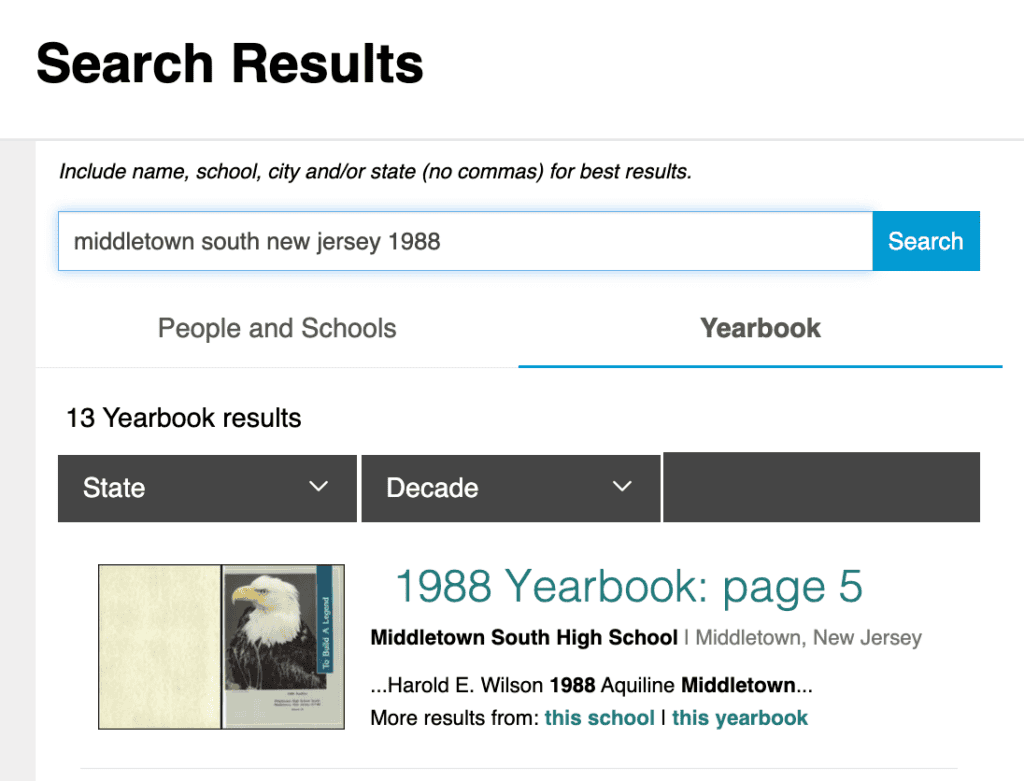
Example shown for demonstration purposes; actual results may vary.
- Not Seeing the Yearbook? Refine Your Search!
If you see the school and year you’re looking for, click on it! If you don’t see it at first, refine the search results to explore if other yearbooks featuring your old class photos are available in Classmates’ database.
You can adjust your search by changing what you’ve written in the search bar, or by by filtering by state and decade in the following location on the page;
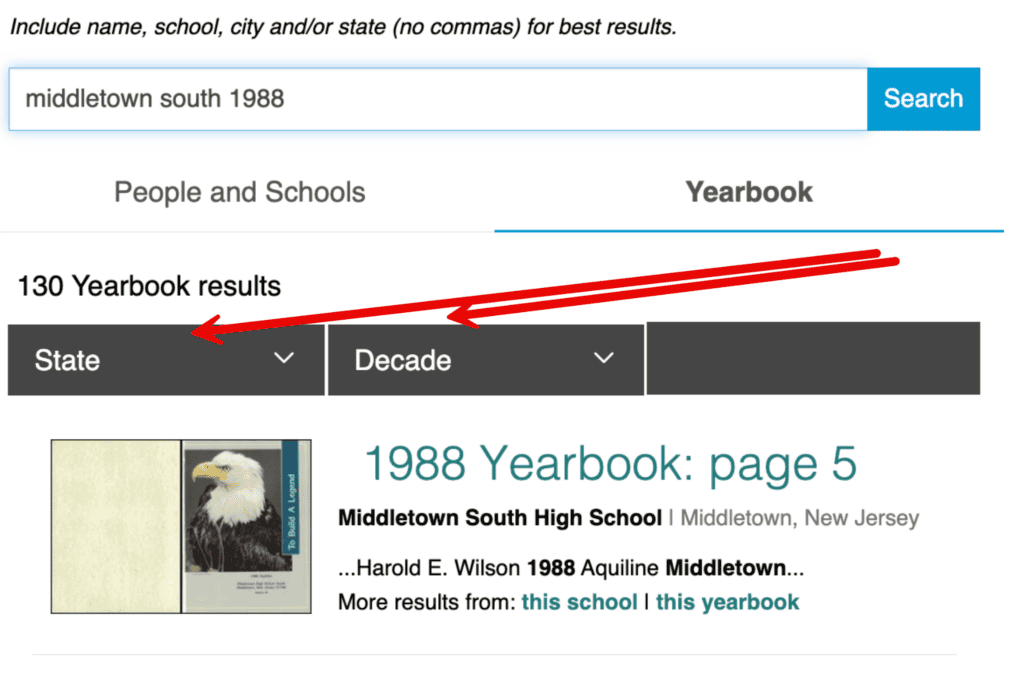
Example shown for demonstration purposes; actual results may vary.
- Upgrade to Classmates+ to View Your Class Photo
Once you open the digital yearbook, you can browse the first few pages for free. To view it in full (and find your old class photo), upgrade to CM+ for full scale viewing access to the entire yearbook collection.
After upgrading your membership, you can manually click the arrows in the left and right hand sides of the page to look through all of the yearbook pages. You can manually scroll to find your class picture or individual class photo. Or, click “Search this Yearbook” to search for keywords like “class picture” or “class photo” to see any pages featuring that text.
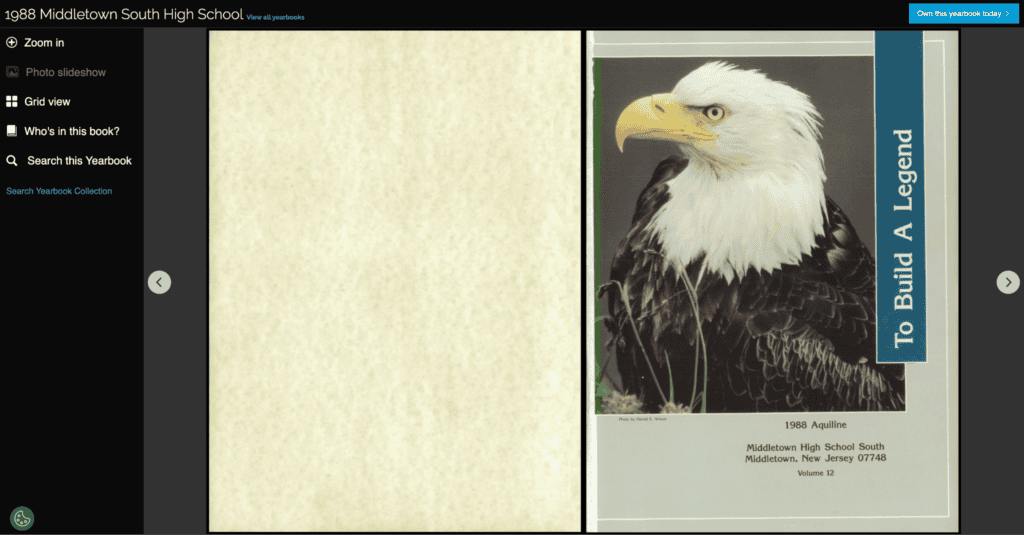
See this yearbook page here: https://www.classmates.com/siteui/yearbooks/147576?page=5
Example shown for demonstration purposes; actual results may vary.
- Order a Reprint
Anyone is allowed to purchase a yearbook reprint (whether you’re a registered Classmates member or not) to get a real, physical copy of your old class photo! Simply select “Own this yearbook today” in the upper right hand side of the digital yearbook page to purchase a hard or soft cover yearbook reprint*.
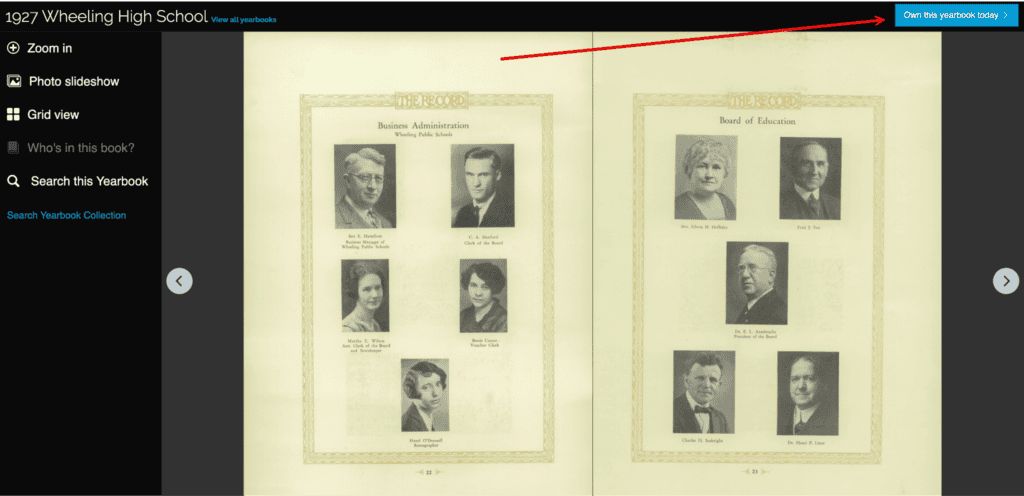
See this yearbook page here: https://www.classmates.com/siteui/yearbooks/108087?page=27
Example shown for demonstration purposes; actual results may vary.
Bonus: Search for Your Favorite Friends From Your Class Picture!
Ok, you found your yearbook and class photo, awesome! Now, why not take it a step further and reconnect with your favorite members of your class list.
Since you register for Classmates with your own high school (and can also lookup your other elementary, middle, high school, and college alumni groups to join) you can see some of your fellow alumni right from the Classmates homepage and click on their profiles.
How to Digitize Your Class Picture & Yearbook
Your own yearbook captures critical moments in your life that your fellow schoolmates, family, and history lovers can appreciate for years to come. If you have a physical copy of your yearbook and don’t see it in the Classmates archive and your yearbooks meets the submission requirements, you can lend it to us so that we can add it to the online collection and mail it back to you.
Once you send in your yearbook, any of your old schoolmates that don’t have a physical copy will now be able to view it online or even order a reprint!
You just need to provide details about your yearbook including the State, City, School Name, and Graduation Year. Then, you can click a button to confirm that your book is good to go or let Classmates know that you need more time to prepare.
After all of your personal and yearbook information is added, hit “Submit”. As long as your yearbook isn’t already in the historic archives and meets the submission requirements, including physical defects or other objectionable content, it will be digitized and sent back to you.
For your reference, here are some of the terms for submitting your book to Classmates:
I represent that I am the rightful owner of the yearbook and that Classmates.com may scan my yearbook “as-is”, including all hand-written content contained in the book. I grant Classmates the perpetual, non-revocable right and license to use, publish, display, modify, market, distribute, transmit and create derivative works from the yearbook images for use on the world wide web, in email, and in any other electronic, print or mixed media for any purpose. Additionally, I release and discharge Classmates, its affiliates, employees, agents, licensees, successors and assigns from all claims, demands or causes of actions that I may have now or in the future for libel, defamation, invasion of privacy or right of publicity, copyright and/or trademark infringement or violation of any other rights from the use of my yearbook.
Search for Your Class Picture Online with Classmates
Classmates’ yearbook collection is free to search, making it simple for you to look for your old yearbook.
If you confirm that it’s available online, you can upgrade to CM+ to view it in (and every yearbook in the archive) in full scale and see your class picture, or order a hard or softcover reprint to have the whole yearbook in your hands again.
Start your yearbook search now!
Class Picture Lookup FAQs
- How to Find Your Kindergarten Class Photo?
Your elementary school yearbook featuring your kindergarten class picture may be in Classmates’ online collection of half a million yearbooks.
To search for yours, go to the Classmates yearbook search and look up your school name + year you graduated from kindergarten (e.g. “River Plaza Elementary 2002”). If you have a common school name, add the town name and/or state as well (e.g. River Plaza Elementary Middletown New Jersey 2002)
If it’s in the collection, your elementary school yearbook should appear at the top of the search results page. Once you click on it, you can upgrade to CM+ to see the book in full scale and find your kindergarten class photo.
If you’re not seeing it, refine your search in the search bar or filter by “State” or “Decade”. For full instructions, revisit the “How to Search for Your Class Picture on Classmates: Step-by-Step” section of the article above.
- How to Find Your Family Member’s Old Class Photos & Yearbook Pictures?
Searching for your friends and family members’ yearbook pictures is as easy as looking up your own. The only information you need is the school they went to and the year(s) they went to school you want to see yearbook pictures from.
In the search bar, look up their school name and year. If you want to refine your search more, include the full state name e.g. California, Florida, etc. (full name, not abbreviation) and/or town name as well. If Classmates has that yearbook available, it should appear at the top of the search results page. If you’re not seeing it, try to refine your search or filter by “Decade” or “State”.
If you’re logged in, you also can use the people search to look them up by name and town to see if they are registered on the Classmates site. Once you land on their profile, you can select “Yearbook” to see if any books featuring them and their class pictures are available in the archive.
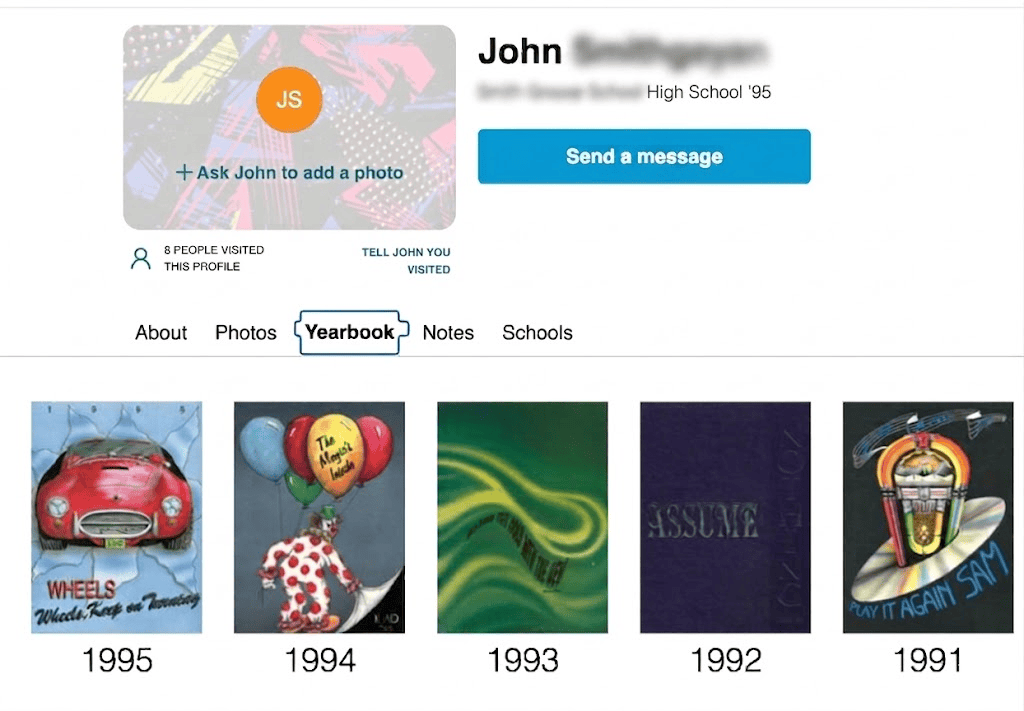
User information hidden for privacy reasons. Example shown for demonstration purposes; actual results may vary.
You can also send them a message for free if you want to reconnect with an old friend!
How Can You Search for Your Class Picture Online or In-Person?
Beyond the Classmates yearbook search and alumni messaging, you’ve got other options for looking for your class picture. Online, look for local social media groups in your neighborhood, or message old friends asking if they have the yearbook and can send you a picture.
In-person, you can try your local library or historical archives. Your school itself may archive the yearbook or class photos too. Reach out to your school’s administration directly to find out.
*Yearbook reprints are created from previously owned copies and may include handwriting or effects of aging may be present, and pages, images, or other content may be missing or obscured.
Related Blogs
- Looking Up Old Classmates by Maiden Name
- Finding an Old Schoolteacher
- How to Keep Up With Old Students
All product names, logos, brands, trademarks and copyrights are property of their respective owners.